
How to Convert TikTok to MP3 (2026): Free, No App
How to convert TikTok videos to MP3 audio in seconds. Free TikTok to MP3 converter — paste the link, download the sound, no app install, no sign-up.
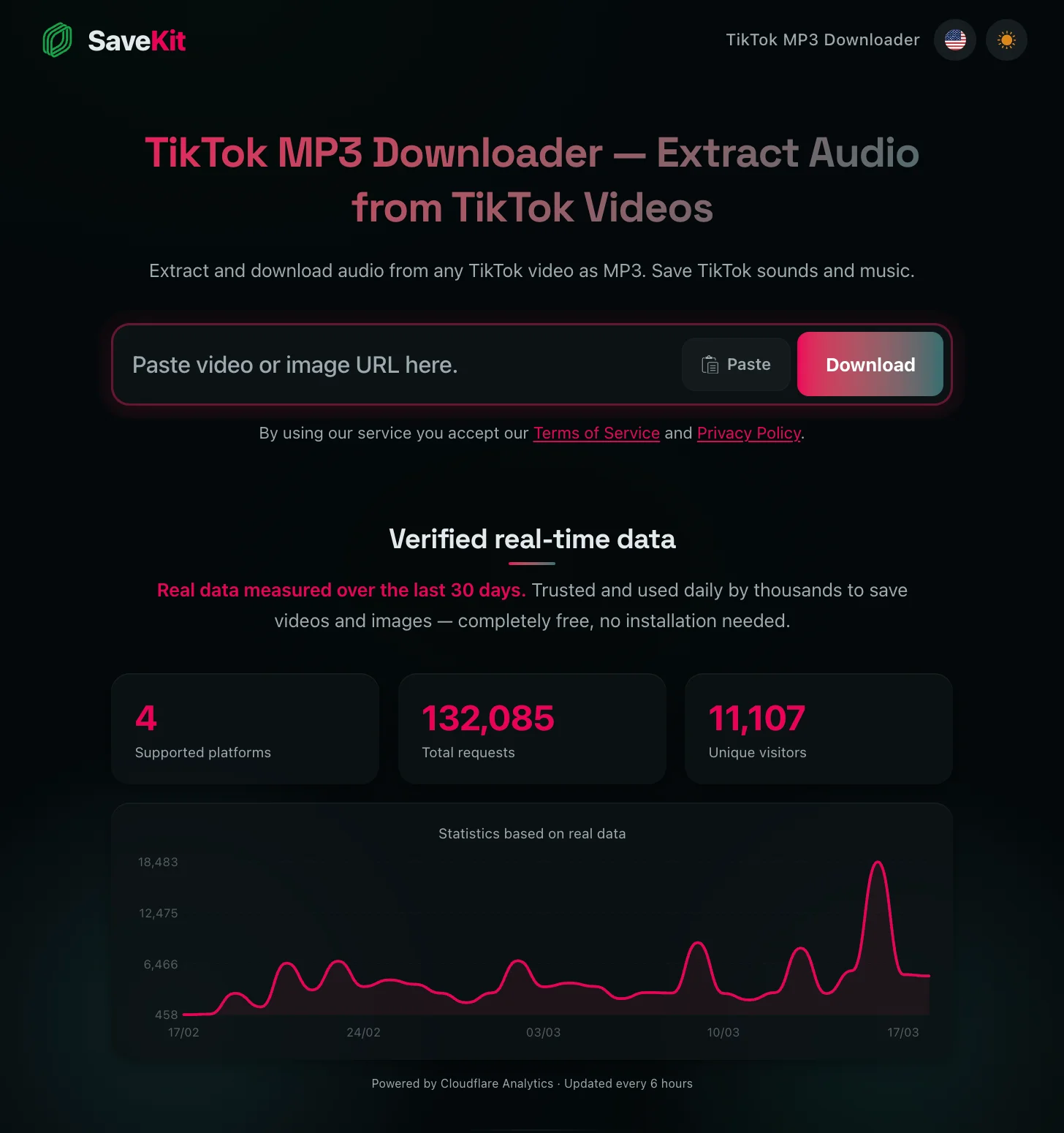
You hear a song on TikTok and want it on your phone as audio. Maybe it’s a trending sound, a podcast clip, or a voiceover you want to save. The problem is TikTok doesn’t let you download just the audio.
Here’s how to convert any TikTok video to MP3 in under a minute, for free, without installing anything.
Why extract audio from TikTok
Sometimes you don’t need the video. You just want the sound:
- Music discovery: TikTok is where songs go viral. Save the audio so you can listen anywhere.
- Viral sounds: Sound effects, audio memes, catchphrases.
- Podcasts and talks: Many creators share podcast clips or quick takes worth keeping.
- Educational content: Explanations, mini-lessons, recipe walkthroughs.
- Content creation: If you’re a creator, sometimes you need audio as a reference or for editing (always respecting copyright).
What is SaveKit
SaveKit is a free online tool for downloading content from social media. It works with TikTok, Instagram, Facebook, Pinterest, and more.
For TikTok-to-MP3 conversion, there’s a dedicated page: savekit.io/tiktok-mp3-downloader.
What makes it practical:
- No account or sign-up required
- No app to install
- Works on any device: phone, tablet, computer
- Free with no download limits
- Audio downloads clean, without TikTok’s voice watermark
Step by step: Convert a TikTok video to MP3
The whole process takes less than a minute.
Step 1: Copy the TikTok video link
On the TikTok app (phone):
- Open TikTok and find the video with the audio you want.
- Tap the Share button (the arrow pointing right).
- Select “Copy link”.
In a browser (computer):
- Open TikTok in your web browser.
- Go to the video you want.
- Copy the URL directly from the address bar.
Step 2: Paste the link in SaveKit
- Open savekit.io/tiktok-mp3-downloader in your browser.
- Paste the video link in the text field.
- Click or tap “Download”.
Step 3: Download the audio as MP3
- SaveKit will process the video and show available options.
- Look for the audio MP3 option.
- Tap “Download” and the file will save to your device.
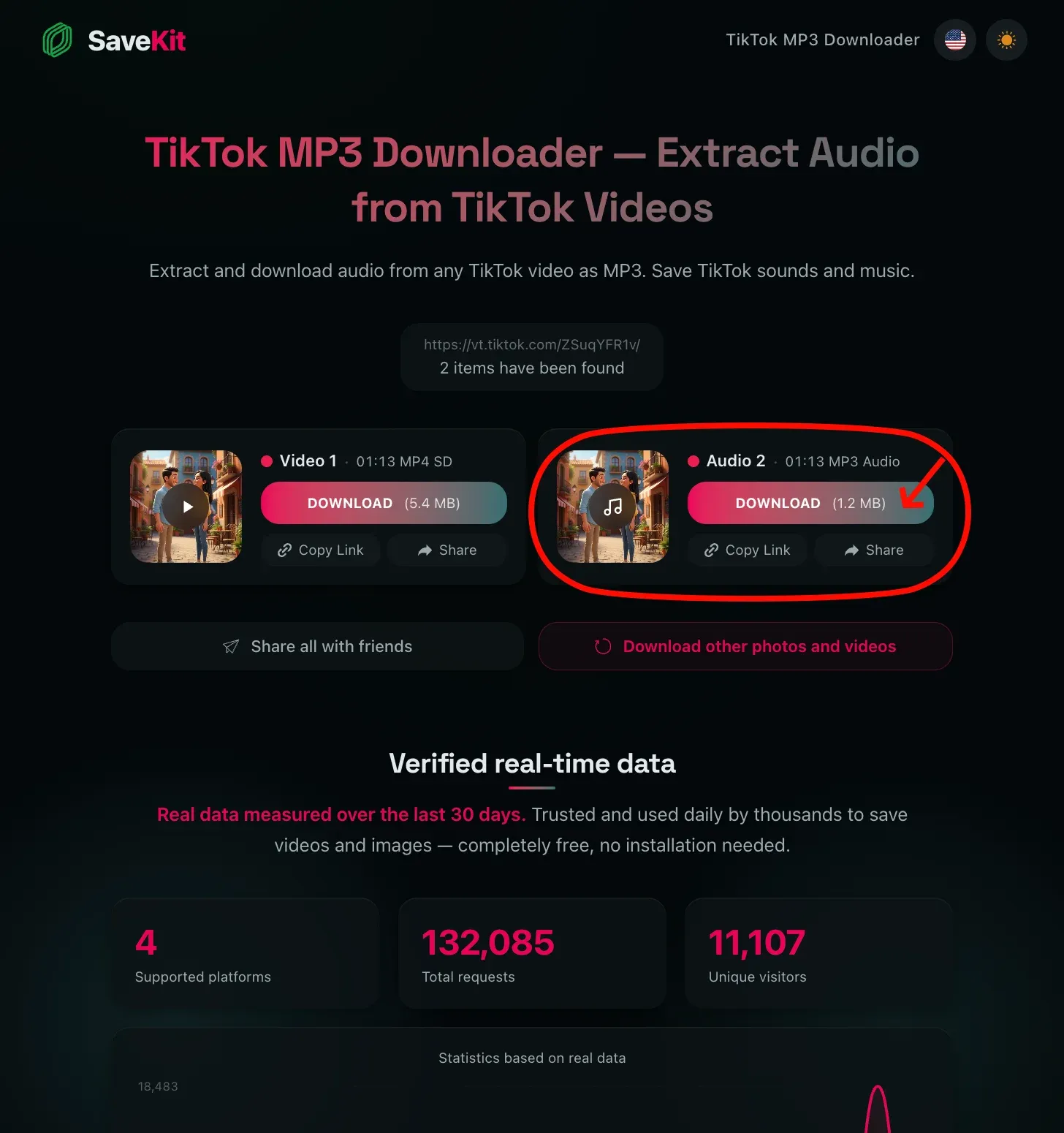
Tap “Download” on the Audio MP3 option to save the file.
That’s it. You now have the TikTok audio as an MP3 file.
Where does the downloaded file go
Depends on your device:
- Android: Check the “Downloads” folder in your file manager.
- iPhone: The file may open in your browser. On Safari, check the downloads section by tapping the arrow icon in the toolbar. You can also save it to the Files app.
- Computer: Saves to your browser’s default downloads folder, usually
Downloads.
Frequently asked questions
How to convert TikTok video to MP3?
Open TikTok and copy the video link from the share menu. Paste it into the SaveKit TikTok MP3 Downloader and click Download. The audio extracts as an MP3 file — works in any browser, no app or signup needed.
How to download MP3 from TikTok without installing apps?
SaveKit runs entirely in your browser. Just go to savekit.io/tiktok-mp3-downloader, paste the TikTok URL, and tap Download. No App Store, no Play Store, no software install — pure browser tool.
How to download TikTok audio as MP3 on iPhone?
On iPhone, open Safari and visit savekit.io/tiktok-mp3-downloader. Paste the TikTok video link, tap Download, and the MP3 saves to your Files app. From there, you can move it to Apple Music, share it, or use it as a ringtone.
Can I extract TikTok sounds to MP3?
Yes. SaveKit extracts the full audio track from any public TikTok video — including original sounds, voiceovers, and trending TikTok music. The output MP3 contains the same audio you hear when watching the video on TikTok.
Does the downloaded audio have a TikTok watermark?
No. SaveKit pulls the original audio without TikTok’s overlay voice or watermark. The MP3 you receive is clean — just the original sound from the video.
What quality MP3 does SaveKit produce?
SaveKit extracts audio at the best available quality, typically 128-320 kbps depending on the source TikTok upload. The bitrate matches what TikTok serves, so there’s no extra quality loss from the conversion.
Can I convert TikTok videos to MP3 from private accounts?
No. SaveKit only works with public TikTok videos. Private accounts and friends-only content cannot be accessed without being logged into TikTok and viewing them through the app.
Is it legal to download TikTok music as MP3?
Downloading TikTok audio for personal use (offline listening, ringtones, voice memos) is generally acceptable. Avoid redistributing copyrighted music or using extracted audio commercially without permission from the original artist or rights holder.
Does SaveKit work on Android, PC, and Mac?
Yes. SaveKit is a browser tool that runs on any device — Android, iPhone, Windows, Mac, Linux, even Chromebook. The TikTok-to-MP3 conversion happens entirely in the cloud, so your device just downloads the finished file.
Useful tips
Check the audio before downloading
Make sure the video’s audio is actually what you want. Some TikTok videos mix background music with voiceover, and it might not be exactly what you’re looking for.
Use headphones to verify quality
Before using the audio for anything, listen with headphones. Some TikTok videos have background noise or distortion that isn’t noticeable through phone speakers.
Organize your downloads
If you download lots of audio files, create a dedicated folder on your phone or computer so you don’t lose files among other downloads.
Other TikTok content you can download
Besides MP3 audio, with SaveKit you can also:
- Download TikTok videos without watermark: Save the full video in HD. Go to TikTok video downloader.
- Download slideshows: If the video is a photo slideshow, you can save images individually.
- Download from other platforms: SaveKit also works with Instagram, Facebook, and Pinterest.
Summary
Converting a TikTok video to MP3 is simple:
- Copy the video link on TikTok
- Paste it at savekit.io/tiktok-mp3-downloader
- Download the audio
No account, no app, no cost. Works on any device.
If you also want to download TikTok videos without watermark, check out the TikTok video downloader.
Tags
Quick Links